센차 터치 2.0 , sencha touch 2.0.1.1 senchaexamples.com의 Ext.Carousel
이 번장은 센차 터치에서 제공 하는 Carousel에 대하여 알아 보는 시간입니다.
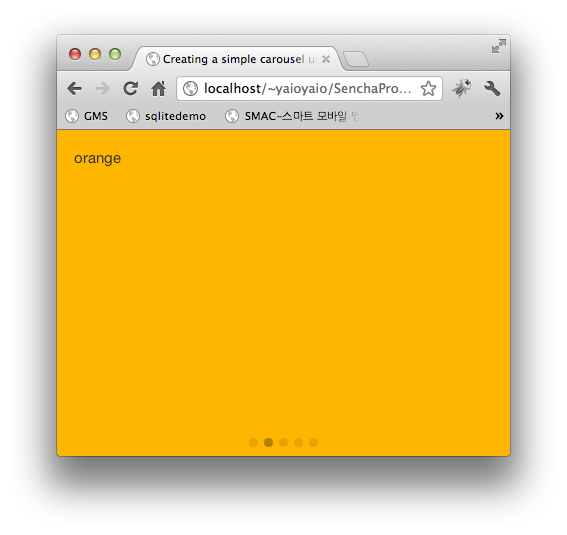
사용 하는 방법은 무척 간단하며, 실제 실행 화면은 다음과 같습니다.
Ext.Carousel을 사용하면 된다. 마우스로 왼쪽에서 드래그 하거나 반대로 드래그 하면 items 안에 들어 가는 컴포넌트 요소가 하나씩 화면을 교체하면서 카드가 바뀌듯 체인지된다.
옵션 중 direction의 값을 ‘vertical’을 지정 하지 않으면 기본 값으로 horizontal이 적용된다.
<!DOCTYPE html>
<html lang="en">
<head>
<meta charset="UTF-8"/>
<link href="../../frameworks/resources/css/sencha-touch.css" rel="stylesheet" type="text/css" />
<title>Creating a simple carousel using the Ext.Carousel component in Sencha Touch 2</title>
</head>
<body>
<script src="../../frameworks/sencha-touch-all.js" type="text/javascript"></script>
<script type="text/javascript">
/*
sencha touch 2.0.1.1-commercial
*/
Ext.application({
launch: function () {
Ext.create('Ext.Carousel', {
fullscreen : true,
defaults : {
styleHtmlContent: true
},
items: [
{
html : 'red',
style : 'background-color:#f00;'
},{
html : 'orange',
style : 'background-color:#ffb600;'
},{
html : 'yellow',
style : 'background-color:#ff0;'
},{
html : 'green',
style : 'background-color:#80ff4d;'
},{
html : 'blue',
style : 'background-color:#009dff;'
}
]
});
}
});
</script>
</body>
</html>
출처 : http://senchaexamples.com/


